
AI Chatbot
An AI-powered chatbot integrated into one of our company products, designed to help business users and analysts work faster across multiple data and communication tasks - from finding dashboards to drafting reports - through a single natural language conversation. The chatbot transforms a set of traditionally manual, time-consuming workflows into a guided, conversational experience.
Team
Patrycja
+2 UX Designers
+1 UI Designer
My role
UX Design
Conversation Design
Prototyping
Project Timeline
ongoing
[Overview]
The chatbot lives inside one of our company products - a platform that stores and organizes hundreds of dashboards. Before the chatbot, business users and analysts had to jump between tools: searching folders, exporting data, drafting emails, and waiting on the analytics team for new dashboards.
The chatbot was designed as a single conversational entry point for five core capabilities:
Web Search - pull external context, references, and market data into the conversation
Create Dashboard - find or generate new dashboards from a plain-language description
MCP Client - connect to other internal tools and data sources through the Model Context Protocol
Draft & Send Emails - turn findings into ready-to-send communications
Create HTML Report - package insights into a shareable, formatted report
I worked alongside three other designers, with each of us owning a different component of the bot experience. I was personally responsible for the Web Search, Create Dashboard, and HTML Report experiences - designing how users phrase their intent, how the bot clarifies ambiguity, and how generated outputs are previewed and refined before being saved or sent.
[Problem]
Business users and analysts spent too much time stitching together small tasks across multiple tools - finding dashboards, gathering context, building new views, and sharing results. The end-to-end workflow, from question to shared insight, was slow, fragmented, and discouraged self-service.
[What is Conversation Design?]
Before diving into research, our team aligned on a shared definition that shaped every decision we made:
Conversation design is the craft of shaping exchanges between people and systems - combining interaction flows, dialogue patterns, and language choices into something that feels natural rather than scripted. Conversation design teaches software to speak human.
Throughout the project, we kept returning to four guiding questions:
At what point does a stream of bot replies start to feel like too much? (turn-taking, interaction design)
Where in the flow should the bot offer a way out - and how should that handoff feel? (information architecture, conversation flows, journey maps)
How do we make sure the bot understands users whose phrasing, language, or background sits outside the default? (diverse intent training data)
When the bot gets it wrong, what's the right way to recover - and how does it earn trust along the way? (persona building)
[Research]
To understand how users actually search for and create dashboards, gather context, and share insights, I worked with the team to run interviews, observe real workflows, and benchmark AI-powered tools already on the market.
User interviews: Conducted a few sessions with business users (marketing, sales, ops) and data analysts to map their current end-to-end workflows and frustrations.
Competitive analysis: Reviewed conversational AI experiences in tools like ChatGPT, Notion AI, Tableau Pulse, and ThoughtSpot to gather best practices in chat-driven data interactions, web search integration, and report generation.
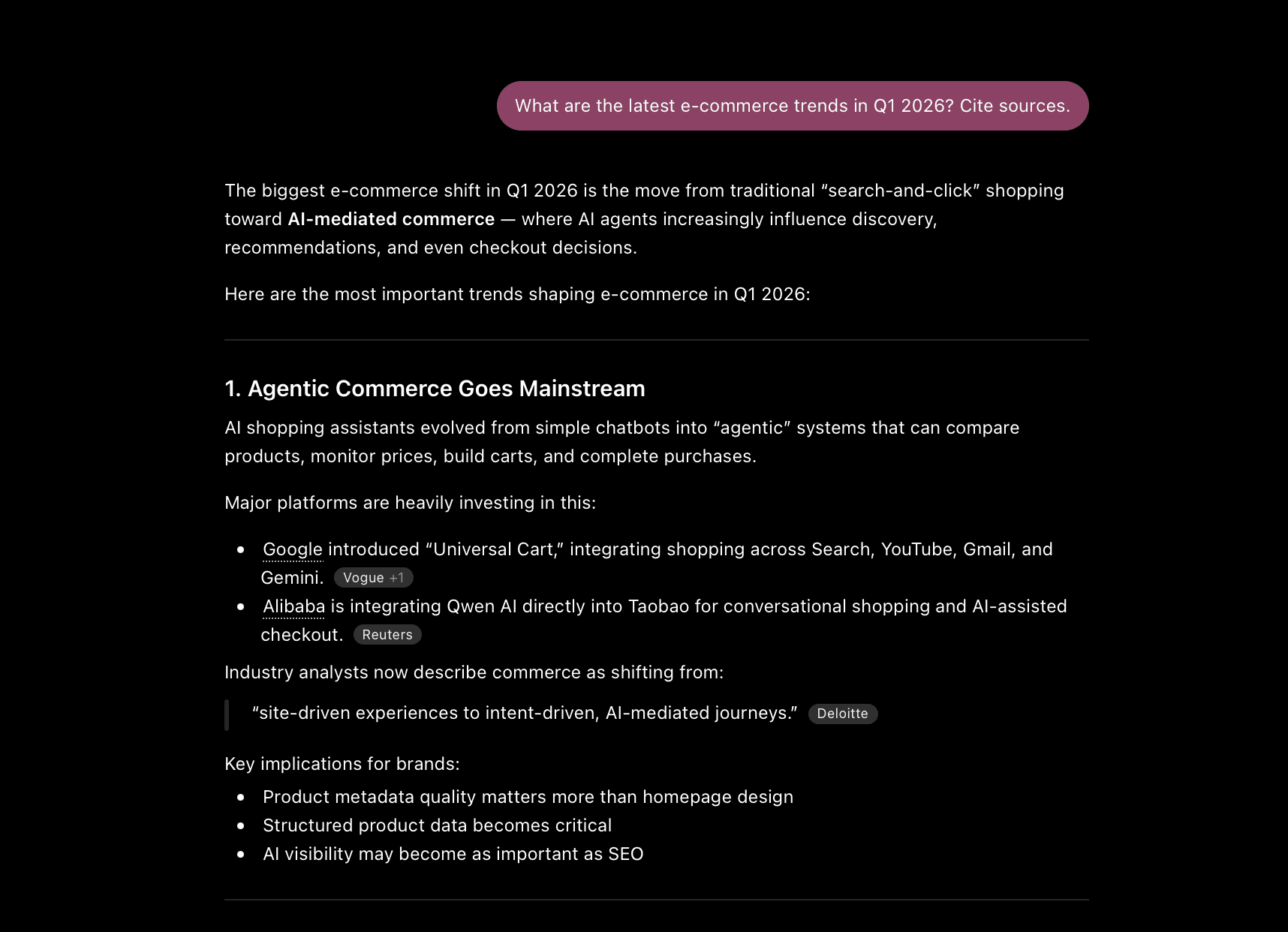

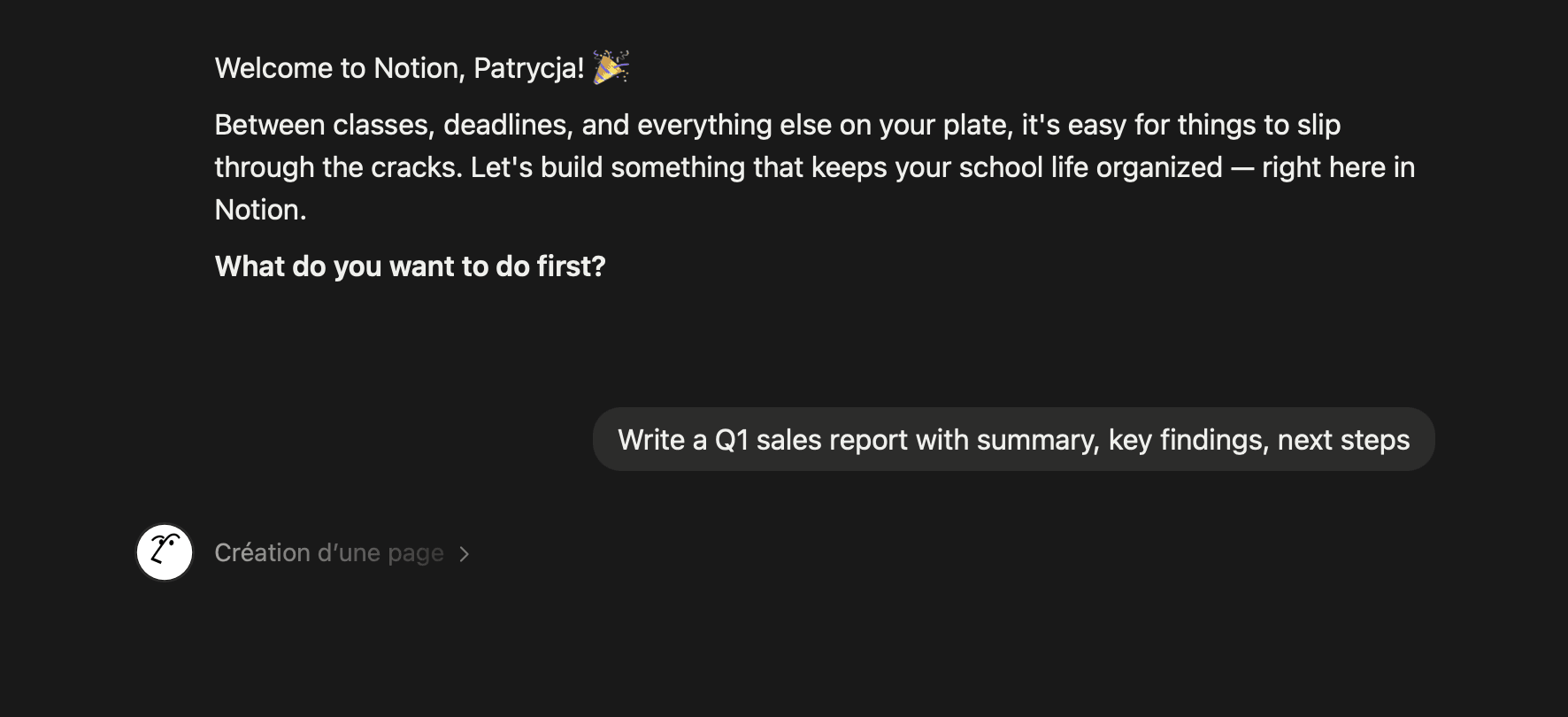


ChatGPT, Notion AI, Tableau Pulse, ThoughtSpot
[Research Insights]
Users don't know dashboard names
Business users often search using business terms, while dashboards are named with technical or team-specific conventions, leading to mismatches.
“I know there's a dashboard about churn somewhere, but I never remember if it's called 'retention' or 'customer health' or something else entirely.”
Anna, Marketing Manager
Creating a dashboard feels like a barrier
Non-technical users avoid creating dashboards because they don't know where to start, what data sources exist, or how to structure a useful view.
“I usually just ask someone on the data team. It's faster than figuring out the tool myself.”
Michał, Business Operations
Sharing insights takes longer than finding
Once users find or build the right view, packaging it into a report or email - with the right framing and context - often takes more time than the analysis itself.
“By the time I've written the email summarizing what the dashboard shows, an hour is gone.”
Karolina, Senior Data Analyst
[Design Process]
We ran a series of co-design workshops with business users, analysts, and the product team to explore how a conversational interface could reduce friction across the full workflow.
Because conversation design touches content, technology, and user experience all at once, we split ownership across the team. Each designer owned different capabilities of the bot.
Together with our product owner and engineers, we mapped the journey from "I have a question" to "I have a shared insight," identifying where a chatbot could intervene most effectively. We then synthesized the ideas and prioritized high-impact, low-effort opportunities across all five capabilities.

[Challenge]
How might we design an AI chatbot that helps both non-technical business users and experienced analysts complete their full workflow - searching, building, summarizing, sharing - inside a single conversation?
[Design Goals]
Our solution was based on three main goals:
Save employees' time for more complex topics: Automate repetitive lookups, drafts, and reports so people can focus on deeper analytical work.
Enable efficiency gains in operations: Reduce the time it takes to find or create a dashboard, gather context, and share results from hours to minutes.
Empower customers with faster time to value: Demonstrate understanding of user needs by surfacing the right output - a dashboard, a draft, a report - on the first try.
[Bot Persona]
A consistent persona is one of the highest-leverage decisions in a conversation design project. It improves customer experience, extends brand identity, and saves admin and agent hours by setting clear expectations about what the bot can and cannot do.
We built our persona through five steps:
Identify the audience - business users and analysts with very different technical fluencies.
Consider brand values - clarity, trust, and quiet competence, aligned with the product's broader tone.
Establish a name and identity - a single character users could mentally model and return to.
Create a unique voice - direct, lightly warm, never overly chatty; the bot respects users' time.
Develop personalized interactions - different opening prompts and follow-ups depending on whether the user is searching, building, drafting, or reporting.
[Final Design Solution]
Web Search
Solution
A web search response pattern that shows compact source cards with title, domain, snippet, and timestamp, plus quick actions to cite a source in a draft, attach it to a report, or use it as input for dashboard creation. Sources are clearly attributed and users can expand each card to read more before deciding what to keep.


Create/Find Dashboard
Solution
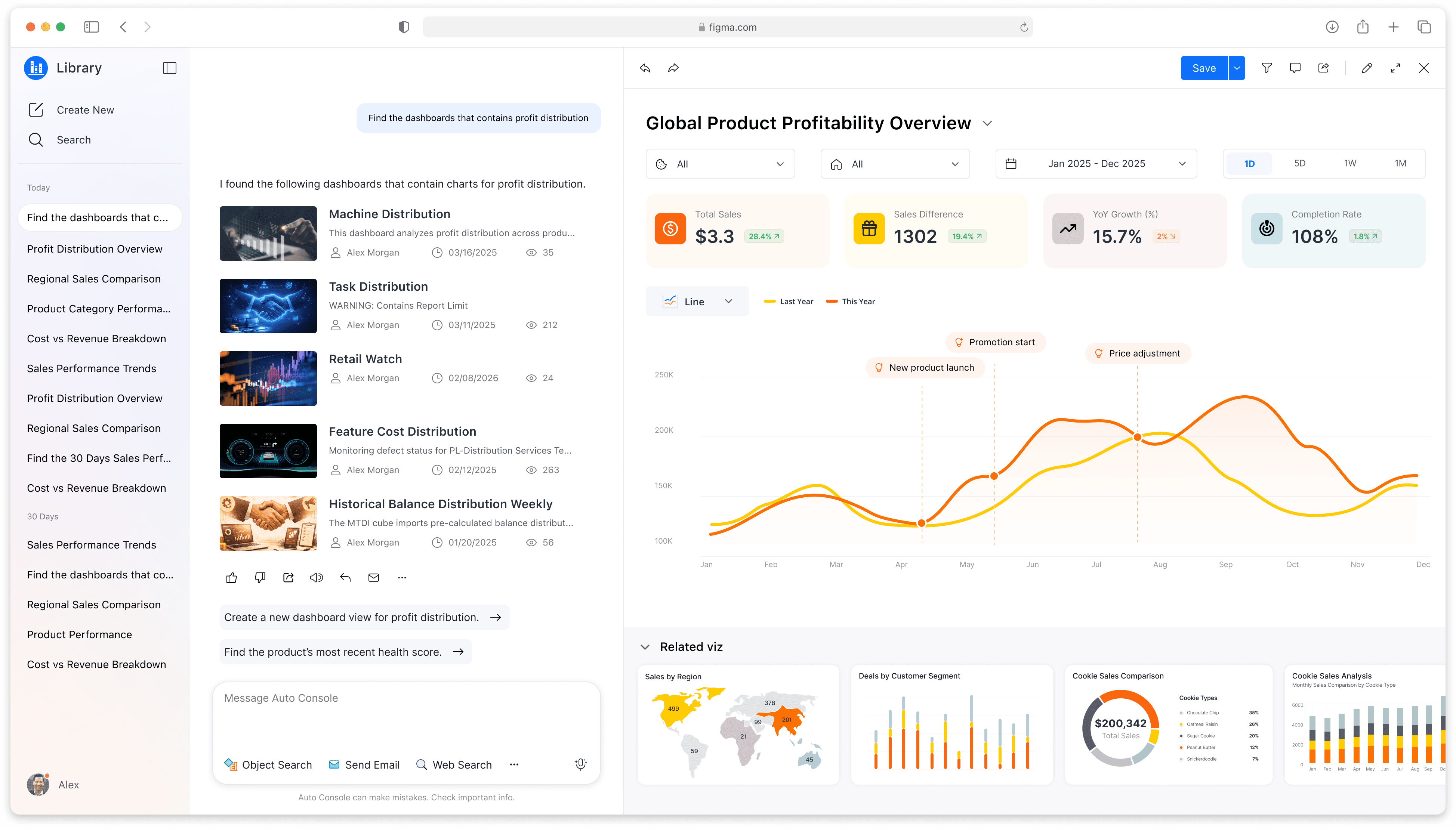
A "Create new" mode where the bot asks a few targeted questions (what data, what timeframe, who's it for), generates a draft dashboard preview, and lets the user iterate via chat or jump into the standard editor. The preview is fully interactive - users can swap chart types, change filters, and rename fields without ever leaving the conversation.


HTML Report
Solution
A report builder that assembles content from prior turns in the conversation, suggests a structure (summary, key findings, supporting data, sources), and renders a live preview the user can refine. Users can rearrange sections, edit copy inline, and export or share when ready.

[Current State]
The project is currently in the testing phase.
We're gathering feedback from business users and analysts, observing how they interact with each capability, and iterating on the conversation flows, persona, and recovery patterns based on what we learn. Early signals are helping us refine where the bot feels intuitive and where it still needs work before a broader rollout.
NEXT PROJECT

Zetflix

Charity Gala Website